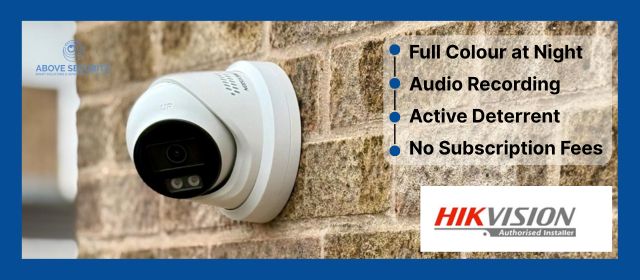
Installing a CCTV camera system is a great step toward enhancing the security of your home or business. However, a poorly executed installation can reduce the effectiveness of your surveillance system.
Whether you're installing the cameras yourself or hiring a professional for CCTV installation, it's important to avoid common mistakes that can compromise the system's performance.
Here are the top five CCTV installation mistakes to avoid to ensure maximum security and peace of mind.
1. Placing Cameras in Poor Locations
One of the most common mistakes in CCTV installation is poor camera placement. Where you install your cameras directly impacts their ability to capture useful footage.
- Too high or too low: Installing cameras too high makes it hard to capture clear details like faces or licence plates. Too low, and they become easy targets for tampering.
- Obstructed views: Avoid placing cameras behind trees, bushes, or other objects that can block the camera’s line of sight. Ensure the field of view is clear and covers the area you want to monitor.
- Ignoring key entry points: Focus on vulnerable areas like doors, windows, garages, and driveways. Don’t waste cameras in areas that are less likely to be accessed by intruders.
Solution: Test potential camera locations before permanent installation by using a live feed. This helps you visualise what the camera will capture and ensures it has a clear view of important areas.
2. Neglecting Proper Lighting
Lighting plays a crucial role in your CCTV system's performance, especially at night. Poor lighting can result in grainy, unclear footage that doesn’t help in identifying intruders or incidents.
- Insufficient night vision: While most modern cameras have night vision, they may still require some ambient light to capture clear footage. If the area is completely dark, you may need to install additional lights or choose cameras with low-light or infrared capabilities.
- Excessive backlighting: Bright light sources behind the camera, like street lights or sunlight, can cause silhouettes and obscure important details. This is especially important when positioning cameras near entrances or large windows.
Solution: Install cameras in areas with balanced lighting, and avoid direct exposure to bright lights. Use motion-activated outdoor lights to illuminate dark areas when needed.
3. Using the Wrong Type of Camera
Choosing the wrong type of camera for the specific environment can hinder your security efforts.
- Indoor vs. outdoor cameras: Indoor cameras are not built to withstand harsh weather conditions. Using an indoor camera outside will likely result in quick damage due to rain, heat, or humidity. Outdoor cameras are designed to be weatherproof and more durable.
- Incorrect lens size: Different lenses offer different fields of view. A wide-angle lens is perfect for covering large areas like parking lots, while a narrower lens is better suited for identifying faces or capturing details in small spaces.
Solution: Ensure you’re using the right type of camera for each location. Opt for cameras with IP ratings of IP65 or higher for outdoor use, and choose appropriate lenses for the areas you need to cover.
4. Failing to Secure the System
Even the best surveillance setup is ineffective if the system is not properly secured. Cybersecurity is a growing concern with modern CCTV systems, especially those that connect to your home network or the cloud.
- Weak or default passwords: Many users leave default passwords on their cameras or DVR systems, making it easy for hackers to gain access.
- Unsecured network: If your CCTV system is connected to the internet, an unsecured Wi-Fi network could be a weak point in your home security.
Solution: Always set strong, unique passwords for your CCTV system and regularly update them. Ensure that your home Wi-Fi network is encrypted with WPA3 security. Additionally, consider enabling two-factor authentication (2FA) for added protection if your system supports it.
5. Inadequate Power Supply or Cable Management
A stable power supply is critical to ensuring that your cameras work without interruption. Similarly, poor cable management can create vulnerabilities in your system.
- Using the wrong cables: Low-quality or mismatched cables can result in poor video quality, signal loss, or even a short system lifespan. For long-distance setups, using the wrong cables can lead to voltage drops and signal degradation.
- No backup power: Without a power backup, your CCTV system can become useless during power outages, which is when security threats are often highest.
- Exposed or vulnerable wiring: Exposed wiring can be tampered with or damaged by weather. It’s important to conceal or secure cables to avoid potential sabotage or wear over time.
Solution: Use high-quality, compatible cables to ensure reliable video and power transmission. Consider installing an uninterruptible power supply (UPS) to keep your cameras running during blackouts. Keep all cables concealed, either by running them through walls or using protective conduits.
Ensuring Optimal installation for your CCTV
Installing a CCTV system is a great investment for protecting your property, but avoiding these common mistakes is crucial for getting the most out of your system. Proper camera placement, adequate lighting, choosing the right camera type, securing your system from cyber threats, and ensuring reliable power and cable management are all key to a successful installation. By taking the time to avoid these pitfalls, you can ensure that your CCTV system provides comprehensive coverage, peace of mind, and protection for years to come.
Whether you’re doing a DIY installation or working with a professional, careful planning and attention to detail will pay off in a robust and reliable security system. Avoid these mistakes, and your CCTV cameras will serve as a powerful tool in safeguarding your home or business.
Here to Help
If you need support with your CCTV installation around the Sheffield and South Yorkshire region, please feel free to get in touch with us for a free consultation, we’d be happy to help you with the installation process. Contact Us Here